Managing a video project involves multiple moving parts, from planning and execution to communication and delivery. In Reports.re, each of those moving parts is organized into a structured system called Tasks.
Tasks help you break down complex projects into manageable units, ensuring clarity, accountability, and smooth collaboration from start to finish.
What Is a Task?
Within a Card, each Task represents a specific piece of work required to complete the video project.
Each Task can have:
- Different executors
- Different task types
- Different requirements
This flexibility allows teams to structure their workflow according to the specific needs of each project.
Every Task contains its own complete set of information and resources, including statuses, costs, files, chats, and more. This allows each Task to function as a fully structured work unit.
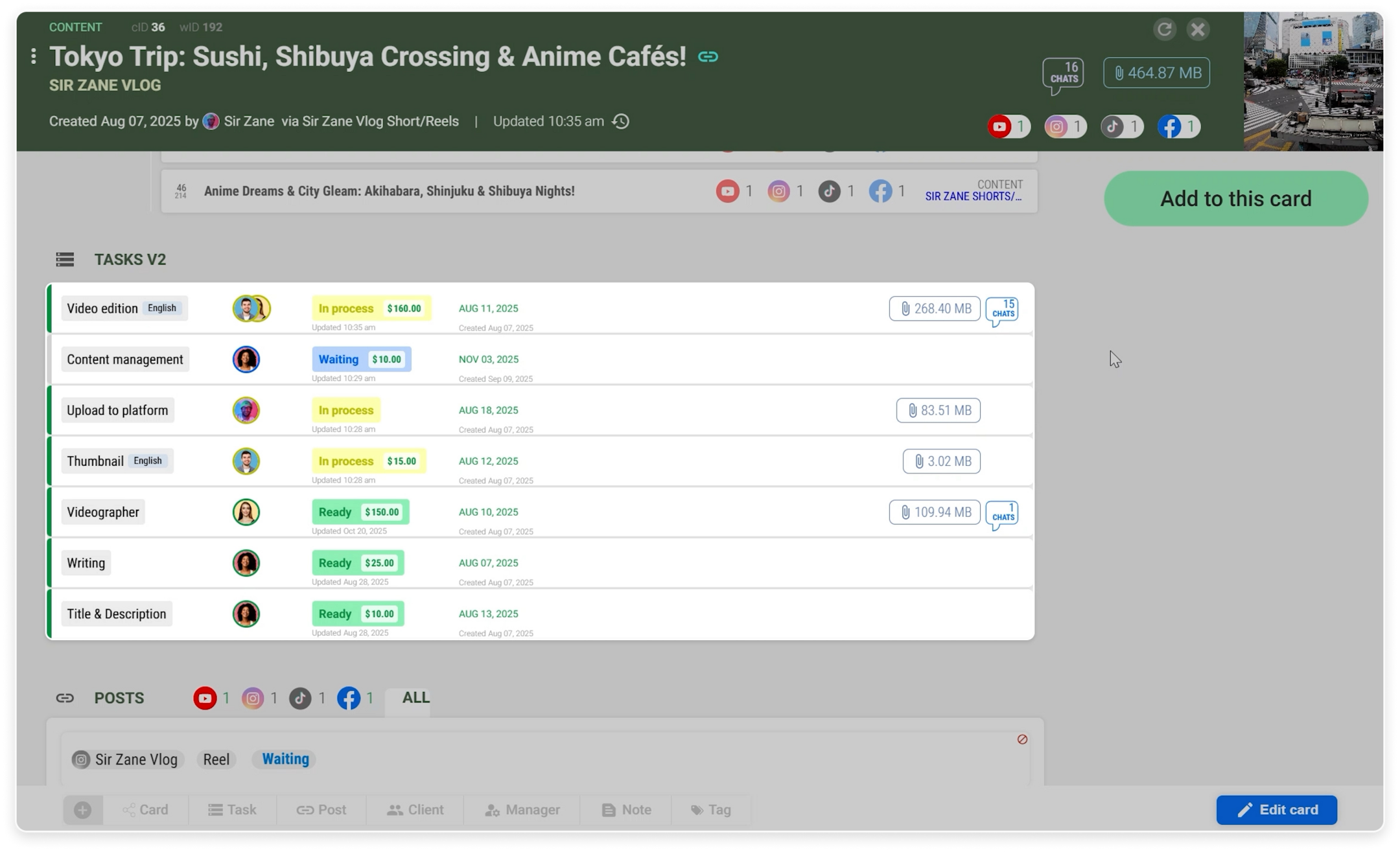 Tasks section showing all task within a card.
Organized Execution with Dedicated Executors
Each executor manages their own assigned Task. This creates clear ownership and prevents confusion about responsibilities.
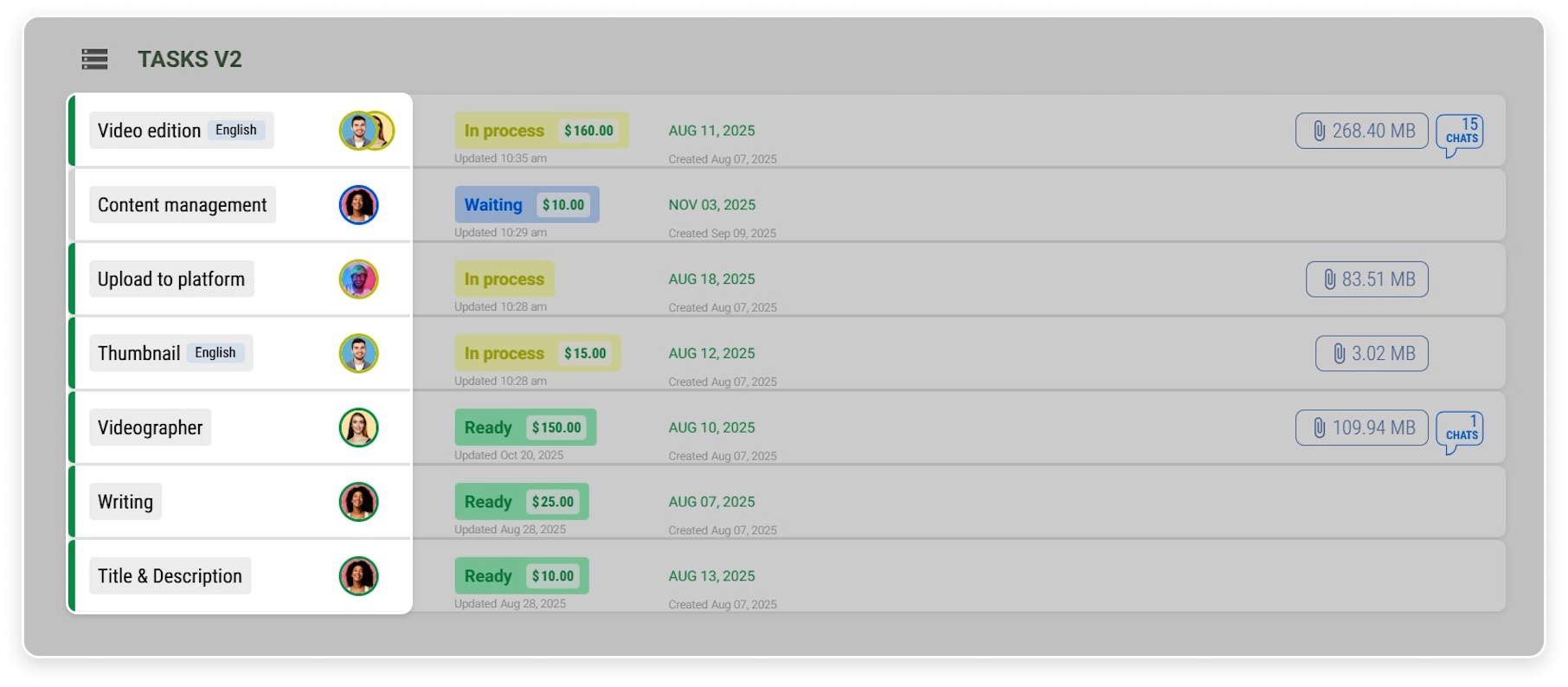 Each Task with its type and assigned executor.
Because Tasks are separated and structured, it becomes easier to:
- Monitor progress
- Identify workflow delays
- Understand the overall workflow
This ensures that everyone stays aligned and projects move forward efficiently.
What You Can Find Inside a Task
Inside each Task, you will find several key sections that centralize everything related to that work item:
- Task Details
- Chats
- Files
- Related Tasks within the same Card
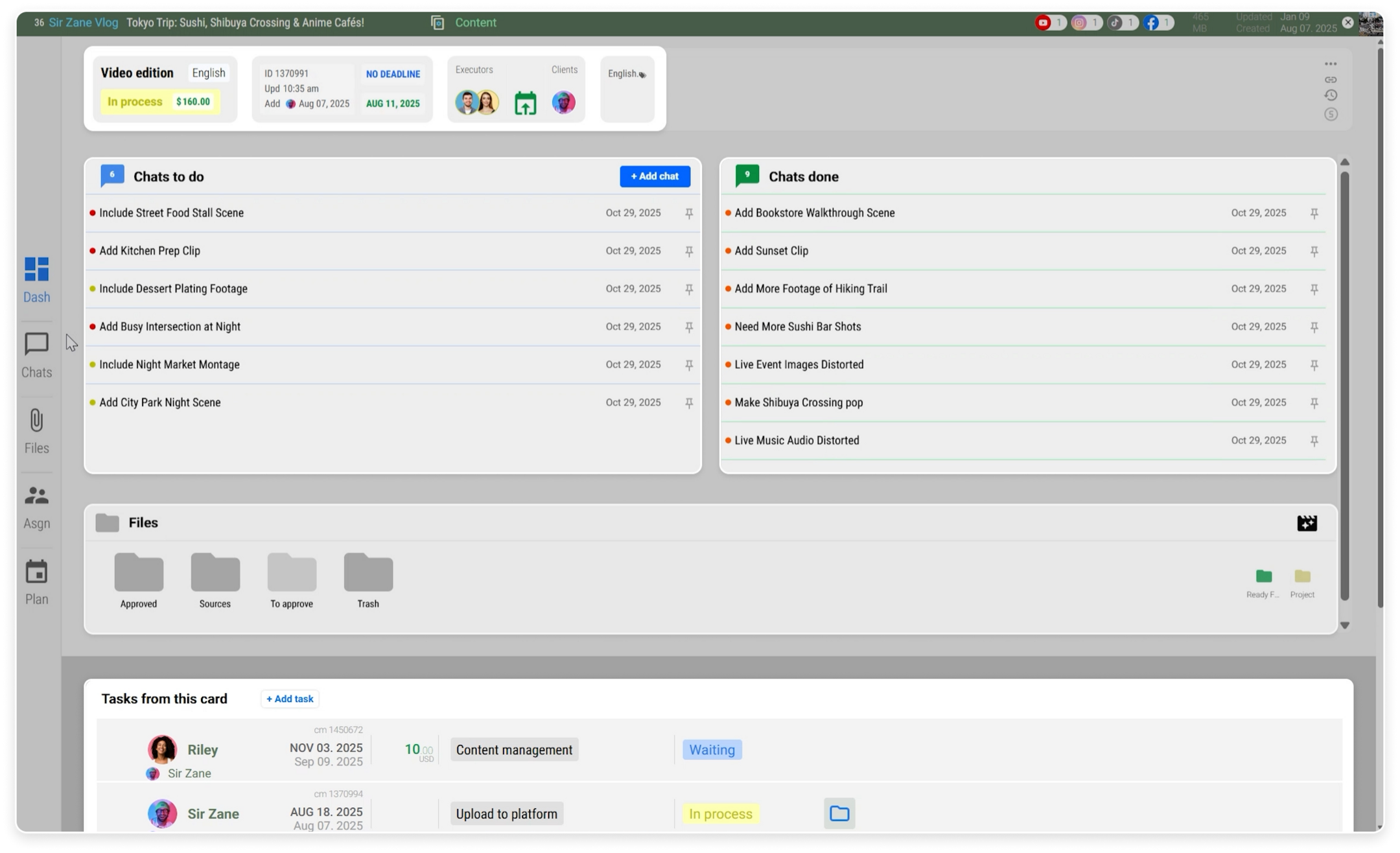 The sections within a Task, including Details, Chats, Files, and Related Task.
Chats: Keep Conversations Structured
The Chats section allows you to manage all discussions related to the Task in one place.
You can:
- View all ongoing conversations
- Search for specific chats
- Filter by status, whether ongoing or finished
- Create new chats to start a new discussion
This ensures that communication stays organized and directly connected to the relevant Task.
 The Chats section with search and filter options for ongoing and finished conversations.
Files: Access and Manage Everything You Need
The Files section gives you complete visibility over all files related to the Task.
You can:
- Search for specific files
- Organize and manage folders
- Access workflow tools
- Browse files from other Tasks when needed
This centralized file management reduces confusion and keeps your workflow efficient.
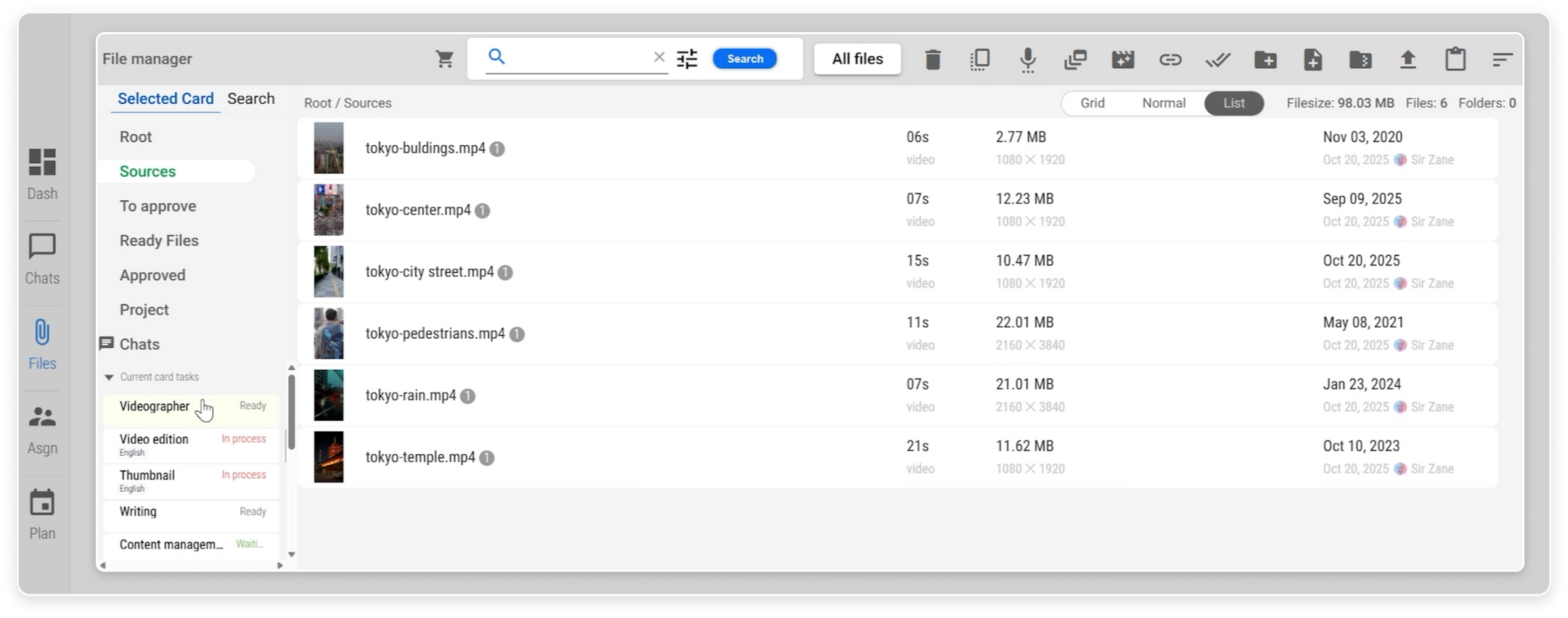 The Files section showing folder structure and file management tools.
Assignment: Manage People and Responsibilities
In the Assignment section, you can see everyone involved in the Task, both executors and clients.
From here, you can:
- Update each executor’s personal status
- Manage payments
- Assign or reassign individuals as executors or clients
This makes it easy to oversee both operational and administrative aspects of the Task.
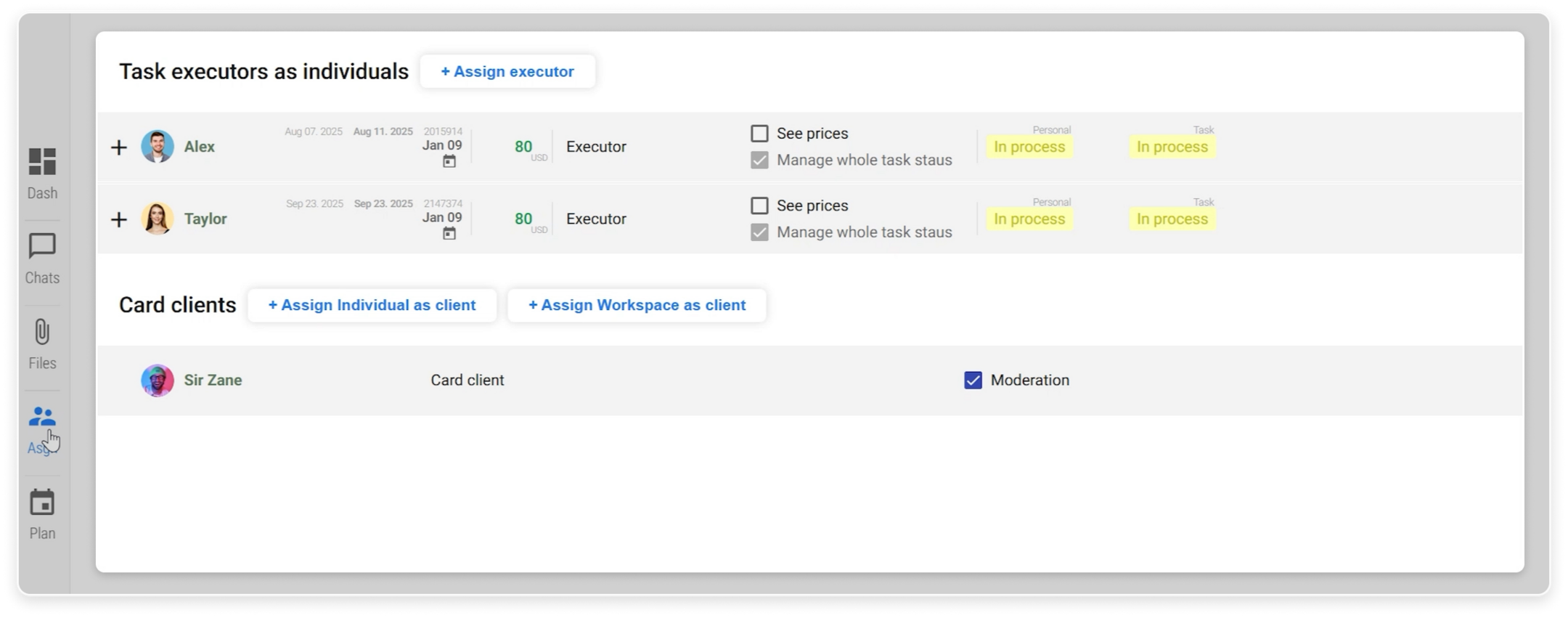 The Assignment section displaying executors, clients, and their respective statuses.
Additional Actions Within a Task
Each Task also includes several useful actions to support your workflow:
- Copy the Task URL for easy sharing
- View activity logs to track changes and updates
- Assign scenarios to automate parts of your workflow
 The Activity Logs view showing a chronological record of actions, updates, and changes within the Task.
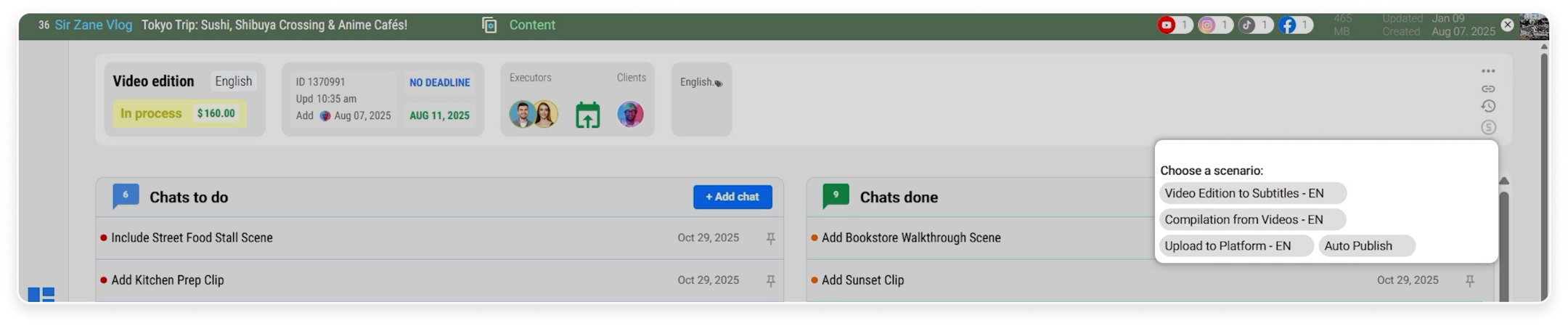 The Scenarios panel where automation rules are assigned to streamline Task workflows.
These features improve transparency, accountability, and automation within your project.
Keep Your Projects Structured from Start to Finish
In summary, Tasks in Reports.re allow you to:
- Track every piece of work
- Manage collaboration efficiently
- Organize communication and files
- Monitor progress clearly
- Automate workflows when needed
By structuring projects into well-defined Tasks, Reports.re helps you maintain clarity and control from the first step to final delivery.