When working on multiple tasks, it can be difficult to quickly understand what is in progress, what is waiting, and what is already completed. Statuses in Reports.re help solve this by making the progress of every task easy to see.
With clear status indicators, you and your team can quickly understand the current state of work and stay aligned throughout the project.
View the full showcase here:
Track the Progress of Every Task
Statuses allow you to quickly see where each task stands. At a glance, you can identify whether work is still waiting, currently in progress, or already completed.
This makes it easier for teams to monitor progress and understand what needs attention.
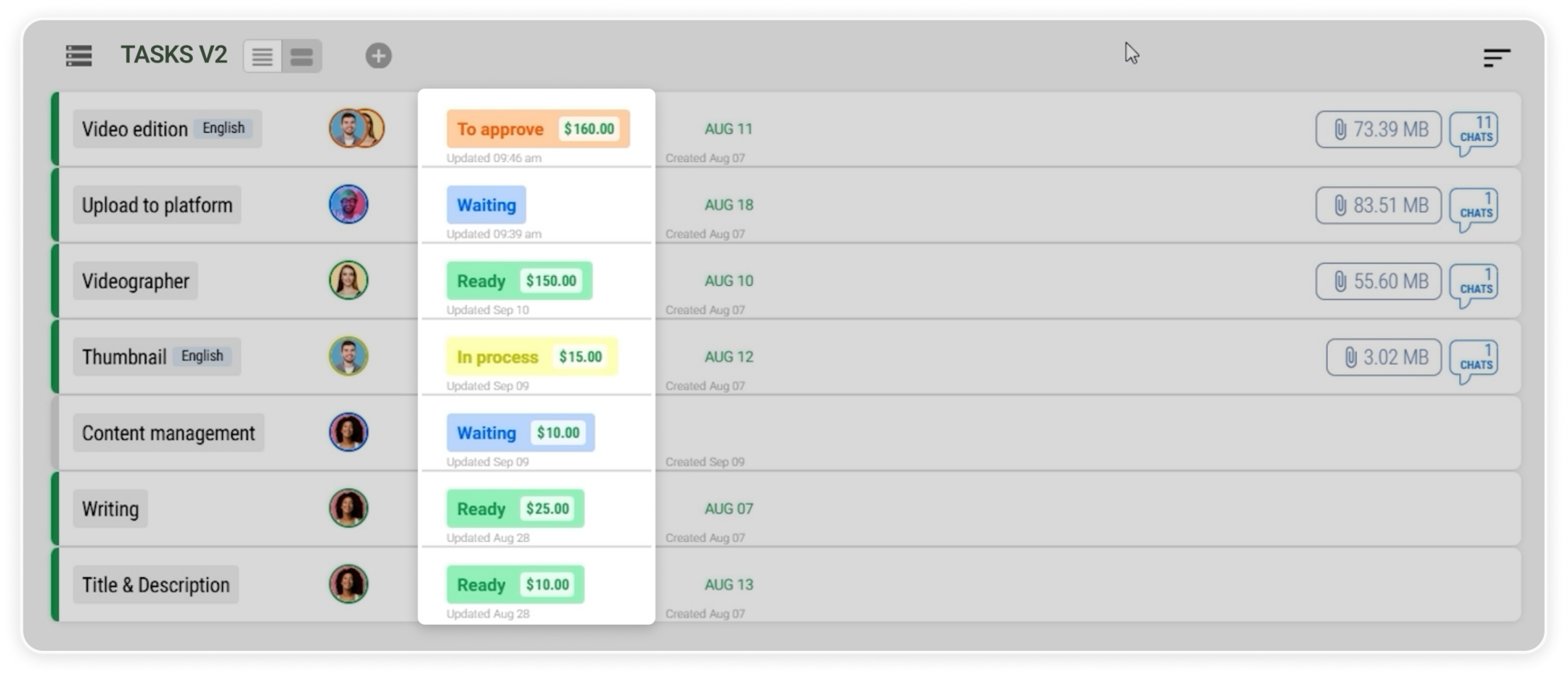 Task progress shown through status labels.
Assign Statuses for Individual Executors or the Whole Team
Statuses can be assigned in different ways depending on how the work is organized.
You can assign a status to a specific executor or apply the same status to all executors working on the task. This flexibility helps keep everyone aligned while still allowing individuals to manage their own progress.
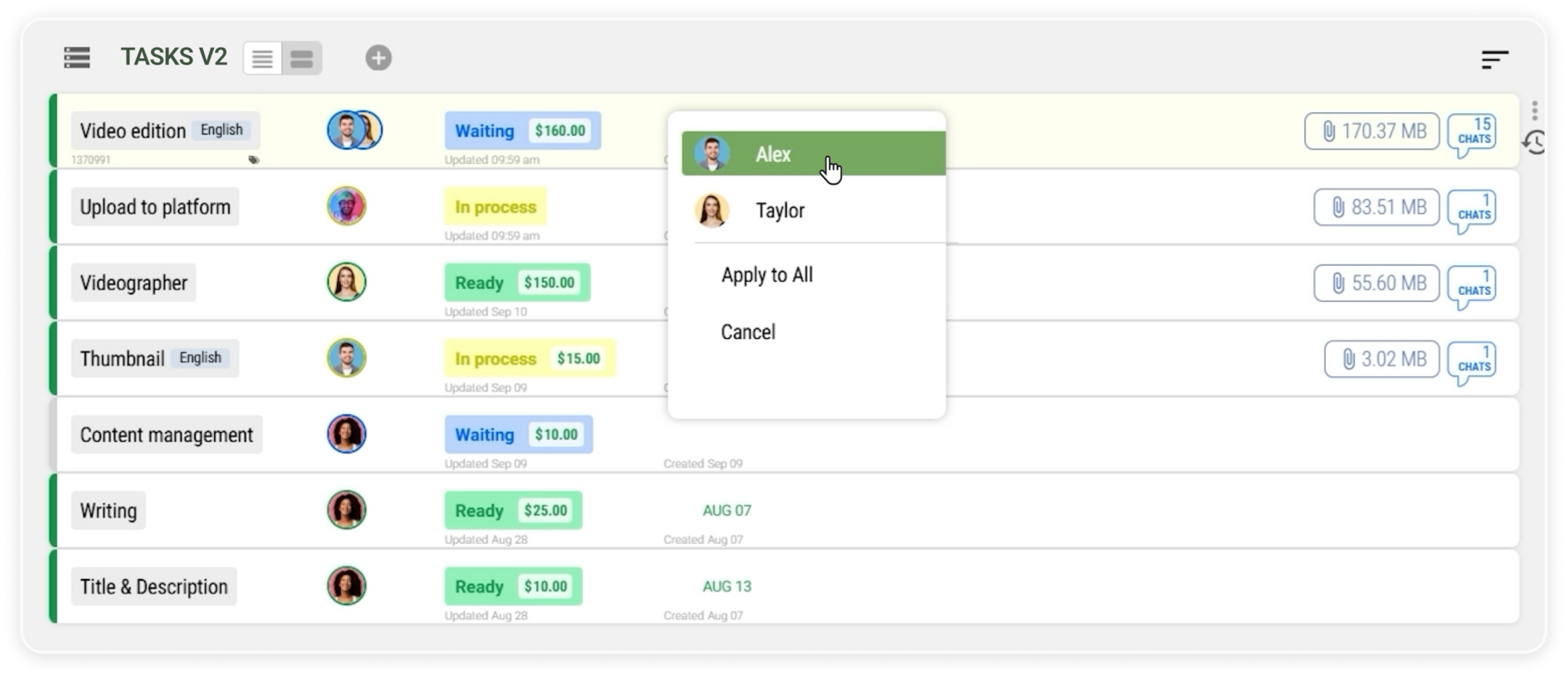 Assigning statuses to executors within a task.
Use Chats to Track Sub Tasks
When a task includes multiple questions or topics, you can create separate chats for each one.
Each chat can represent a specific topic or sub item. By assigning statuses to these chats, it becomes easier to track which issues are already resolved and which ones still need attention.
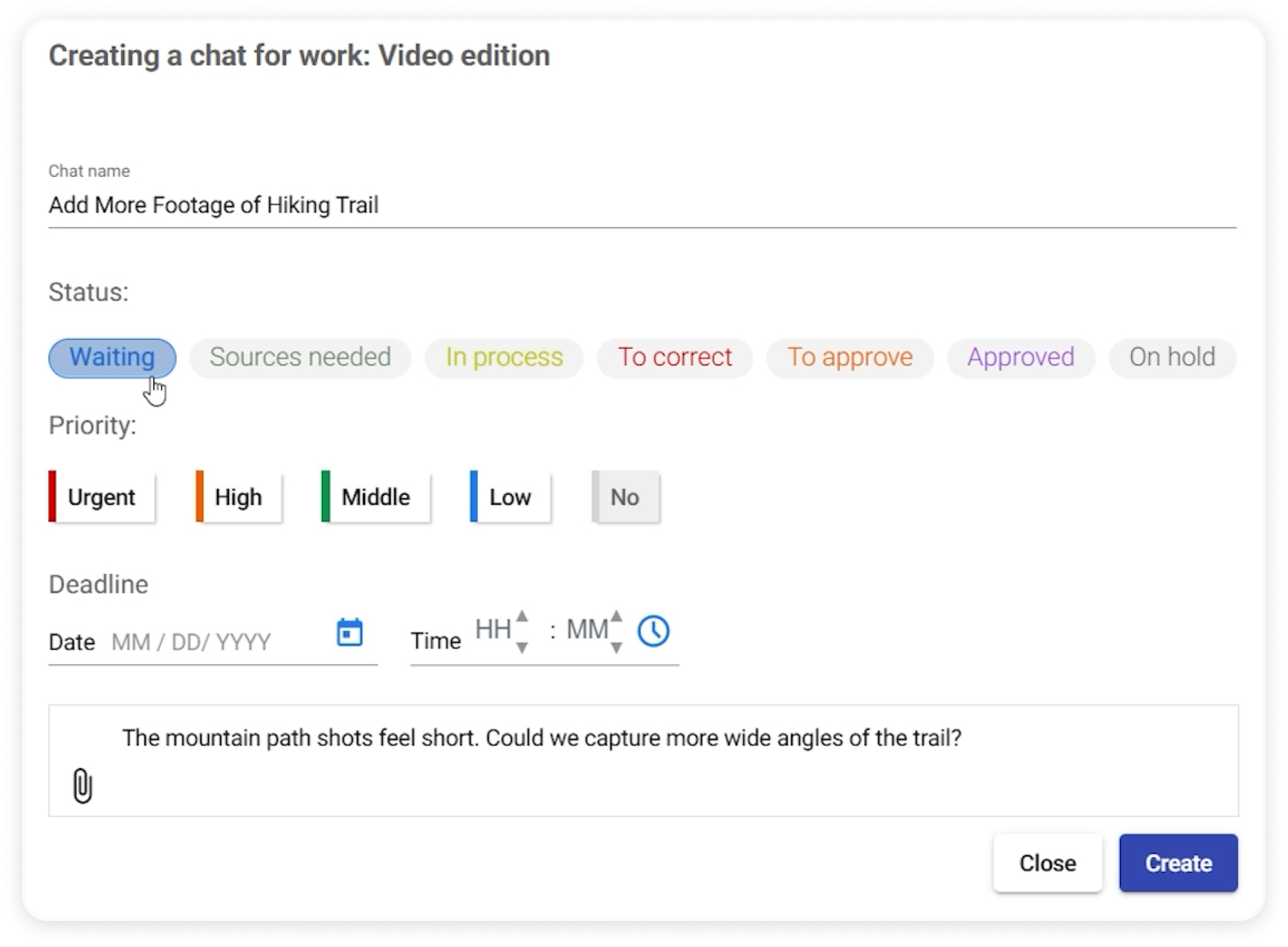 Creating a chat with an assigned status.
Independent Status for Each Chat
Each chat can have its own status that reflects its current progress.
For example, one topic can be marked as finished while other discussions remain open. This allows teams to continue working on unresolved topics without affecting completed ones.
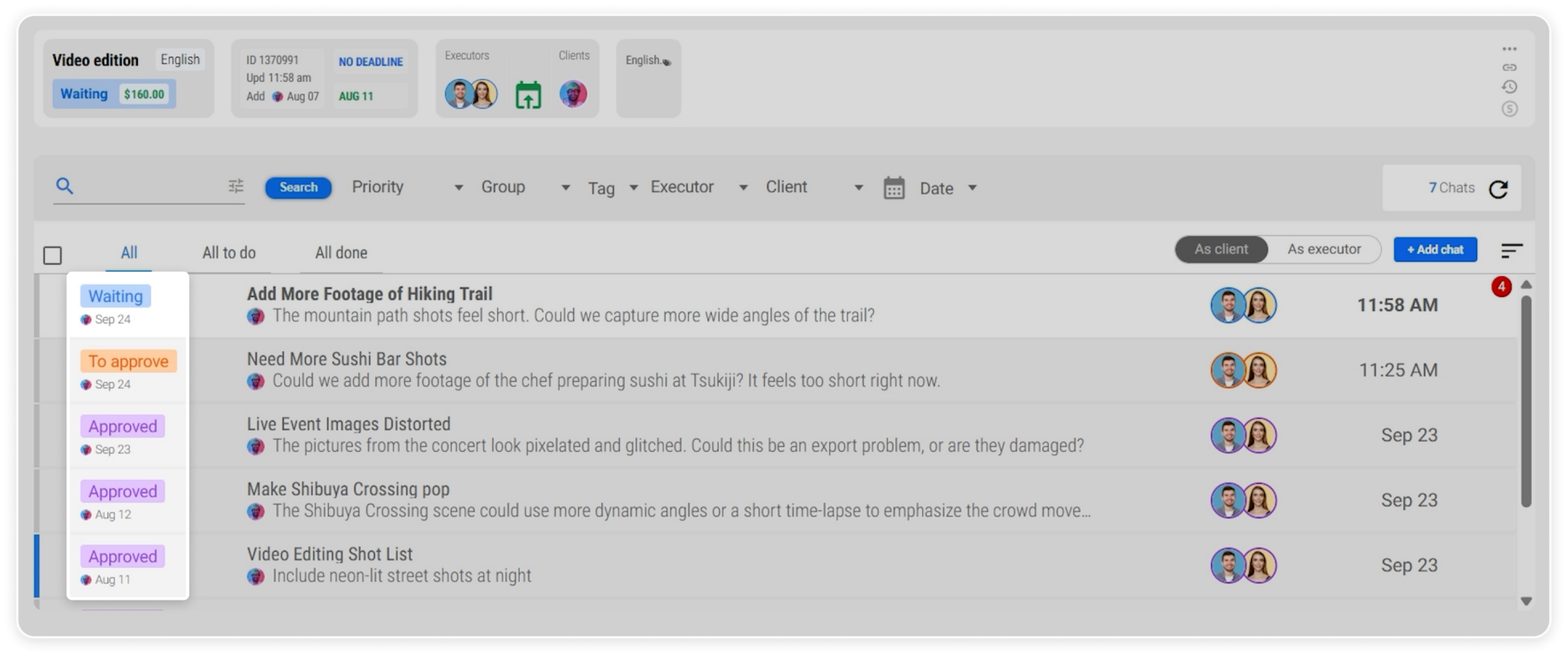 Chats with independent status tracking.
Task Status Reflects the Overall Progress
A task can include several chats, each with different statuses.
To prevent issues from being overlooked, the task automatically reflects the lowest status among its chats. This ensures that unfinished work is always visible until every topic is resolved.
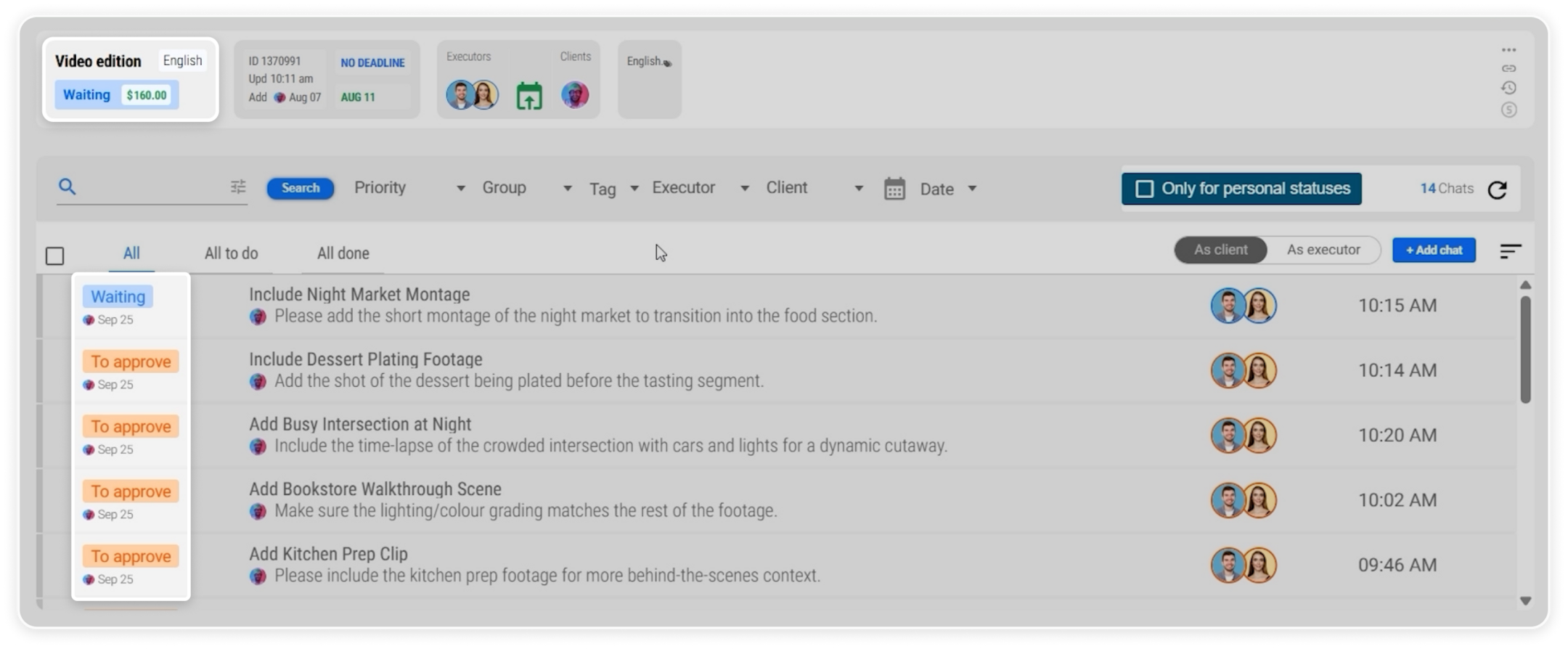 Task status reflecting the lowest status from related chats.
Filter Work by Status
Reports.re also allows you to filter tasks based on their status. This helps you focus on specific stages of work.
For example:
- All To Do shows tasks that are still in progress, including statuses such as Waiting, In Process, or To Correct
- All Done shows completed or finalized tasks such as To Approve, Approved, Ready, or Canceled
You can also filter by a specific status to view only the items that need your attention.
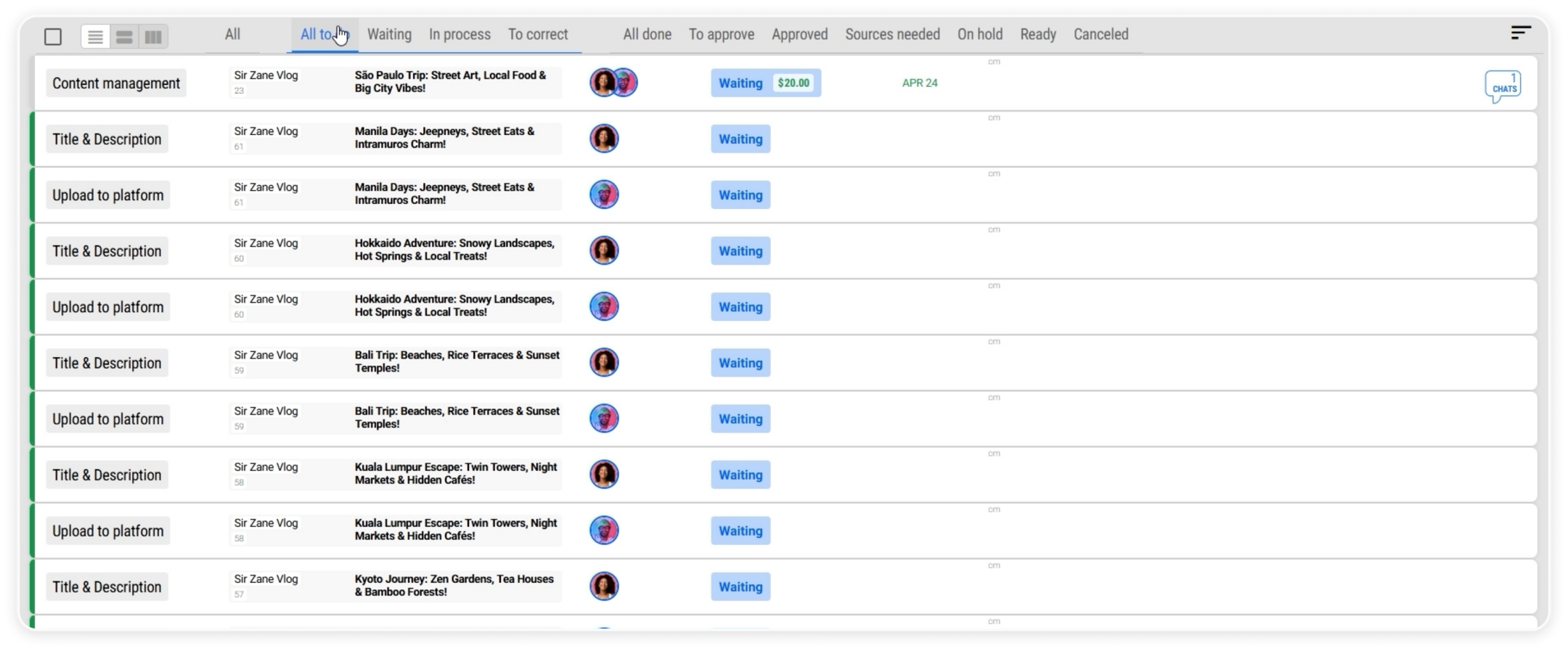 Tasks filtered by “All To Do”.
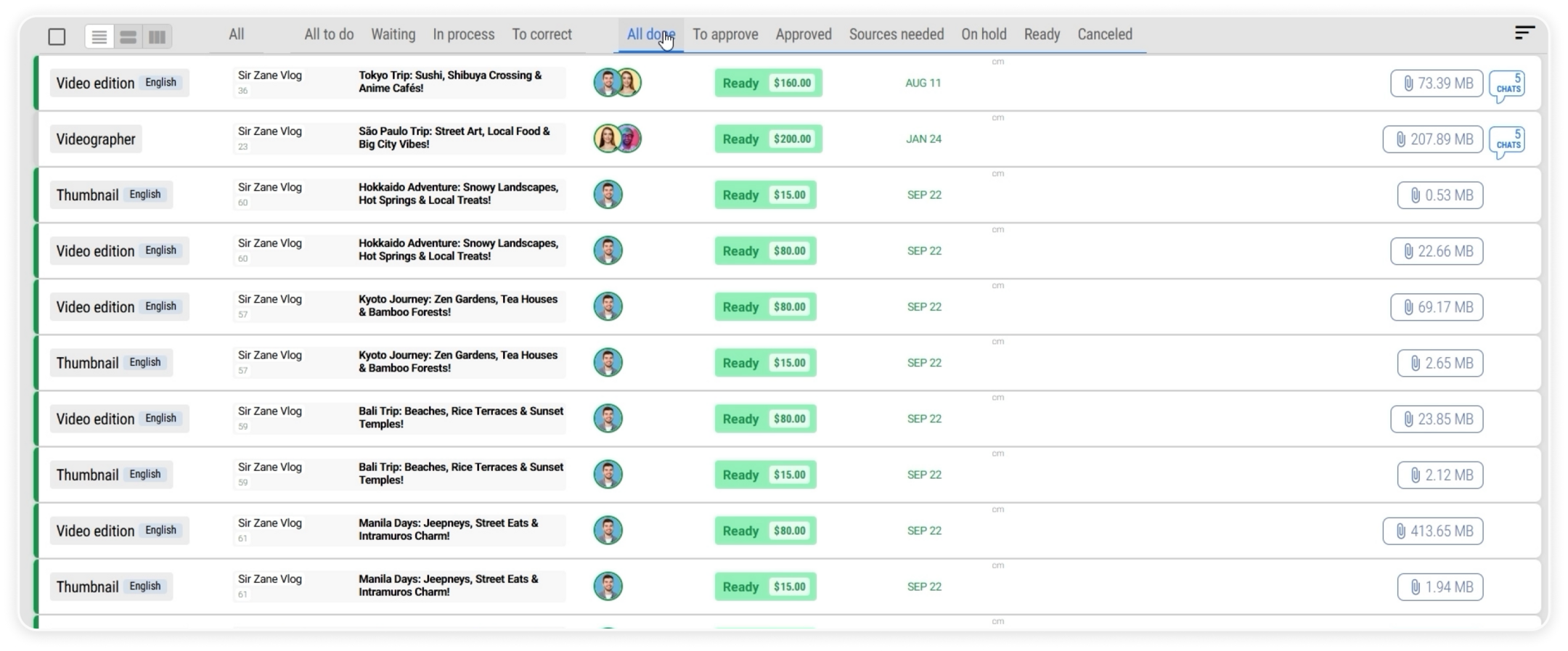 Tasks filtered by “All Done”.
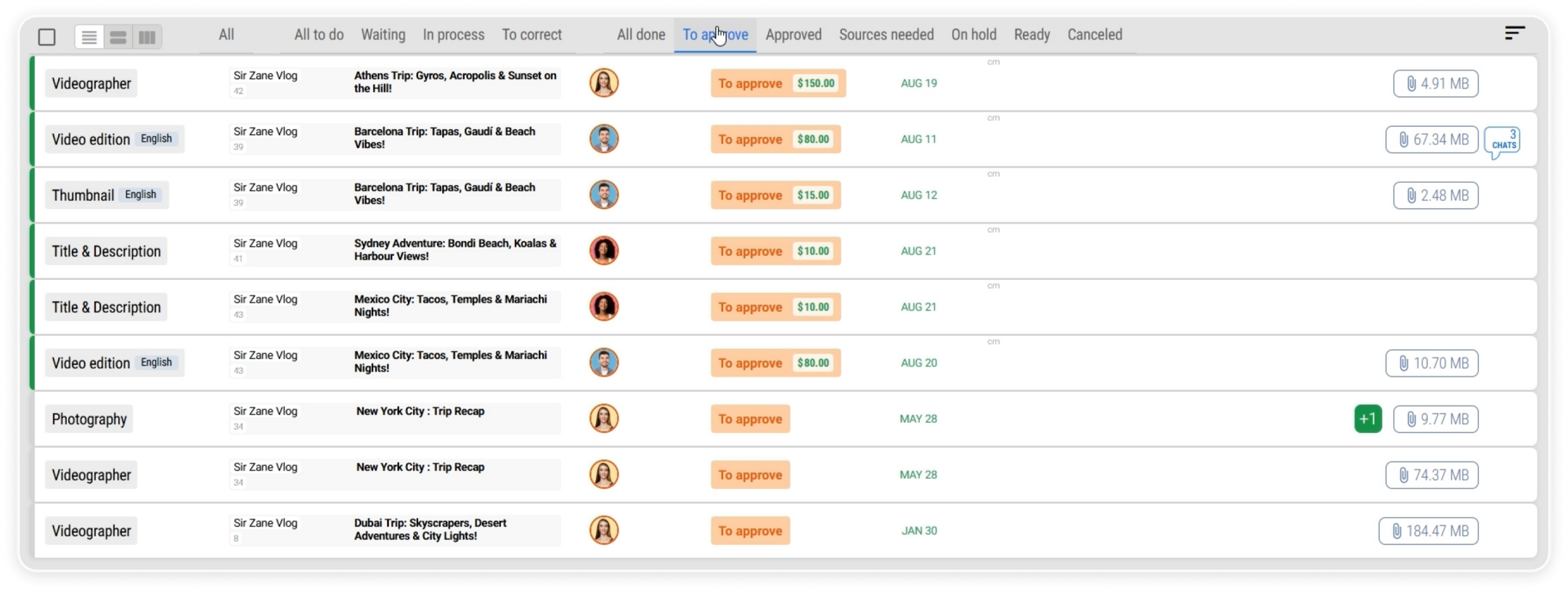 Tasks filtered by a specific status.
Keep Work Organized and Visible
Statuses in Reports.re help teams stay organized by making progress visible across tasks and chats.
With clear status tracking, you can easily monitor work, understand priorities, and keep everyone coordinated at every stage of the project.