Publishing content regularly can take a lot of planning and manual scheduling. In Reports.re, the Regular Schedule feature helps automate this process so your posts are published consistently over time.
Instead of scheduling each post individually, you can define a schedule once and let the system handle the publishing automatically.
View the full showcase here:
Set Your Channel, Content Type, and Posting Frequency
A Regular Schedule can be configured for a specific channel and type of content.
You can also define how often posts should be published, such as:
- Every day
- Every week
- Every month
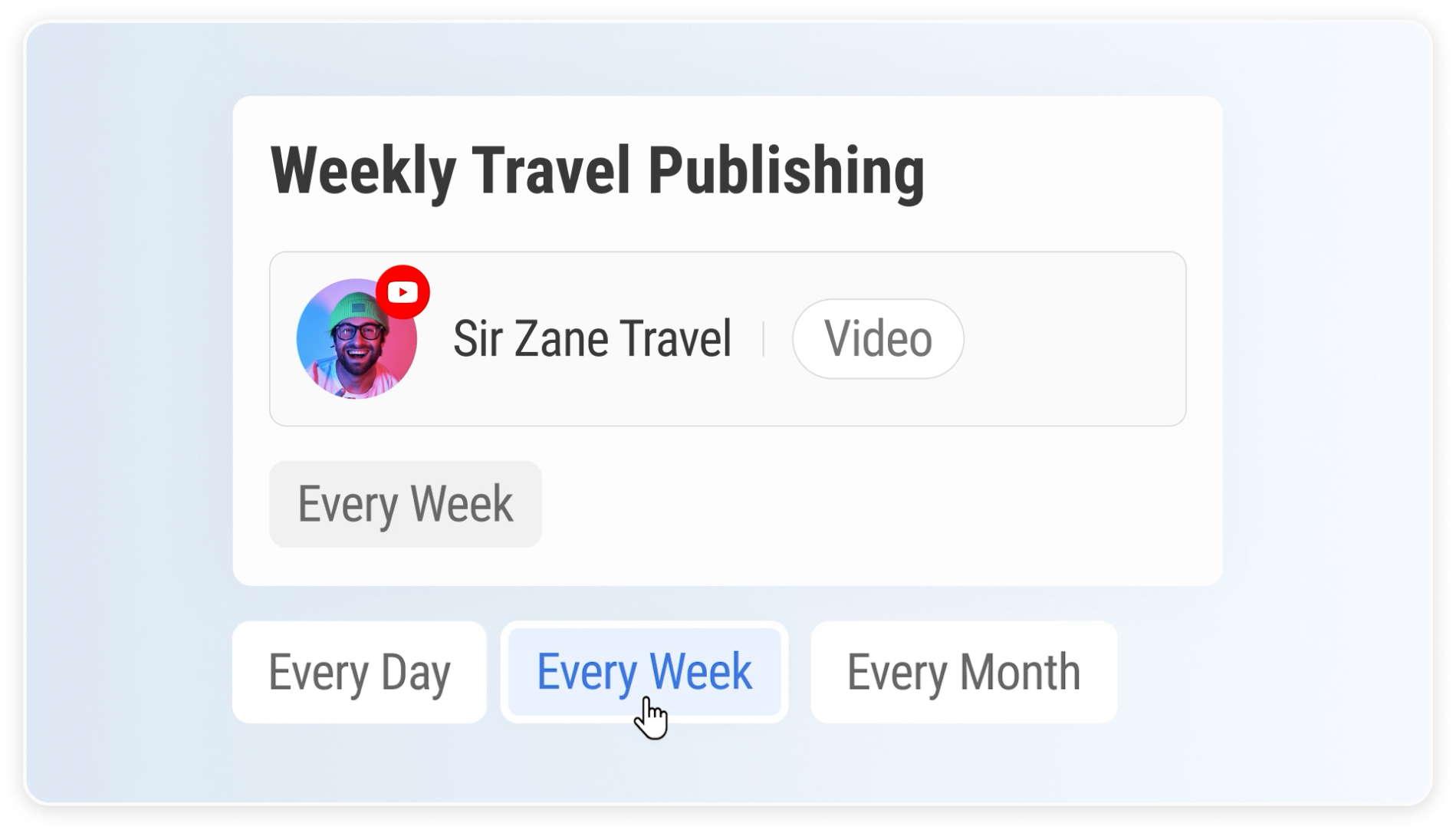 Setting posting frequency.
In addition, you can choose how long the schedule remains active. For example, a schedule can run for several months or even an entire year.
 Setting schedule duration.
Define Exact Days and Posting Times
Each schedule includes time slots that determine when posts will be published.
Time slots specify the exact days and times when content goes live. For example, a schedule might include two slots:
- Monday at 12 PM
- Wednesday at 12 PM
These time slots act as the publishing schedule for your content.
 Defining publishing time slots.
Automatically Distribute Your Content
When you have multiple pieces of content ready, the Regular Schedule distributes them across the available time slots.
For example, if you have four posts and a schedule with Monday and Wednesday slots, the system will automatically publish them over two weeks at those exact times.
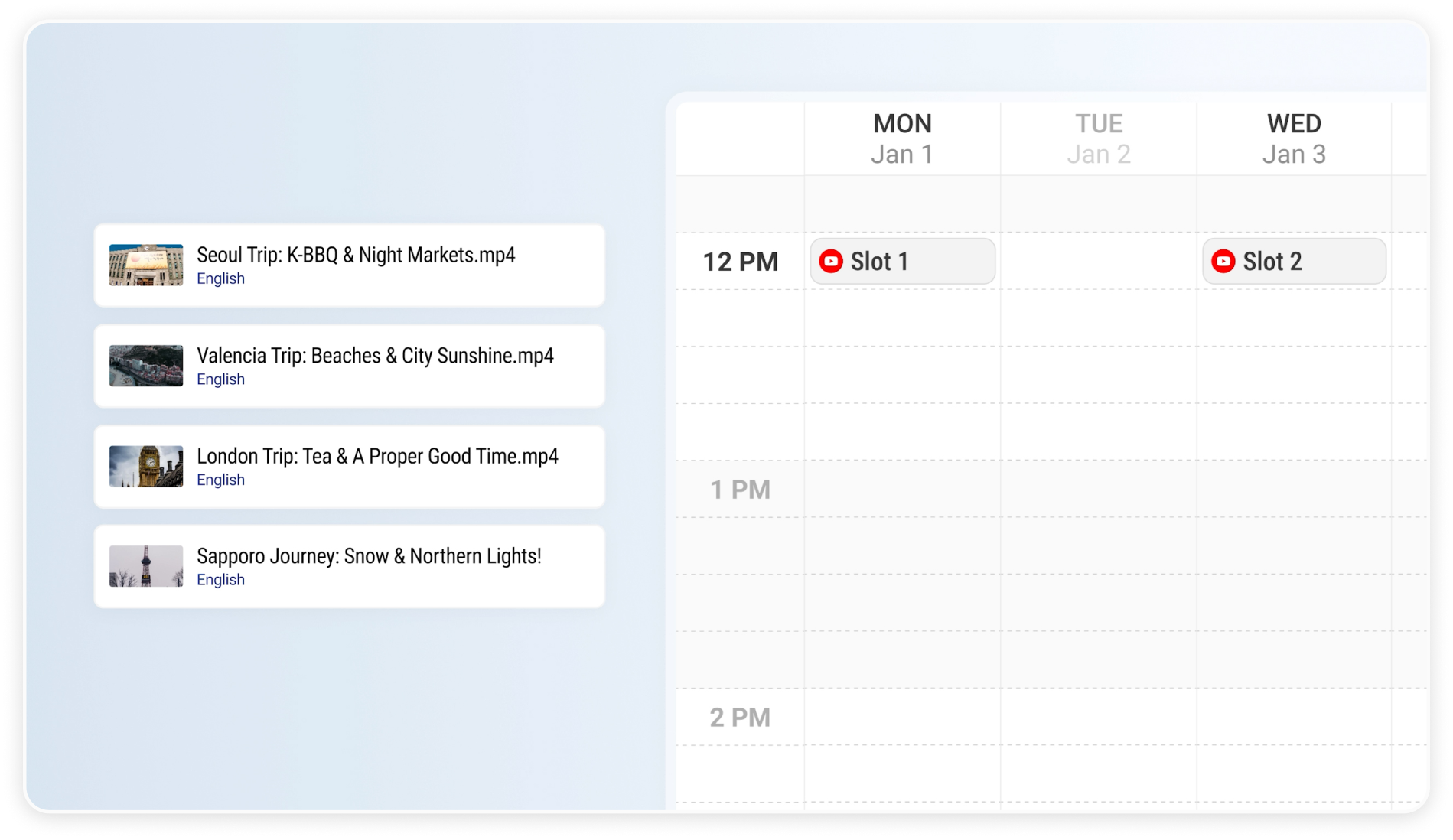 Four files ready to be published.
This removes the need to manually schedule each post.
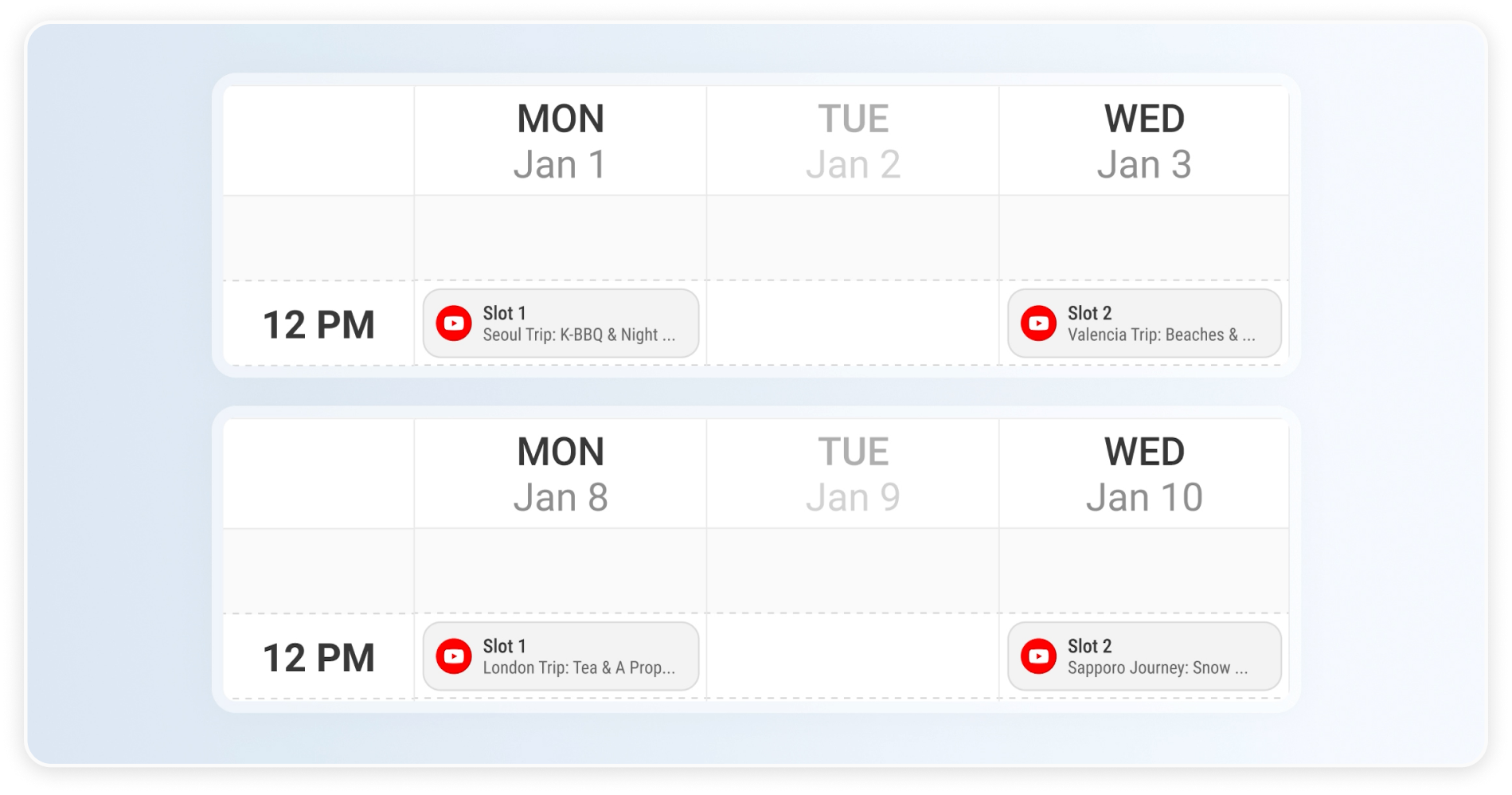 Content automatically distributed across schedule slots.
Stay Consistent with Automated Publishing
Regular Schedule helps you maintain a steady publishing rhythm without constant manual work.
With this feature, you can:
- Automate recurring posting schedules
- Distribute content over time
- Keep your publishing consistent
By setting up your schedule once, Reports.re ensures your content continues to be published automatically.