Publishing video content across platforms usually requires managing multiple files, settings, and schedules. Reports.re simplifies this process by allowing you to organize and publish everything from one place.
When all your resources are ready, you can quickly prepare and publish your content without manually configuring every element.
View the full showcase here:
Upload All Publishing Resources at Once
Before publishing, you may already have several assets prepared, such as:
- The final video file
- A title and description file
- A thumbnail image
In Reports.re, you can simply select all of these resources together and prepare them for publishing.
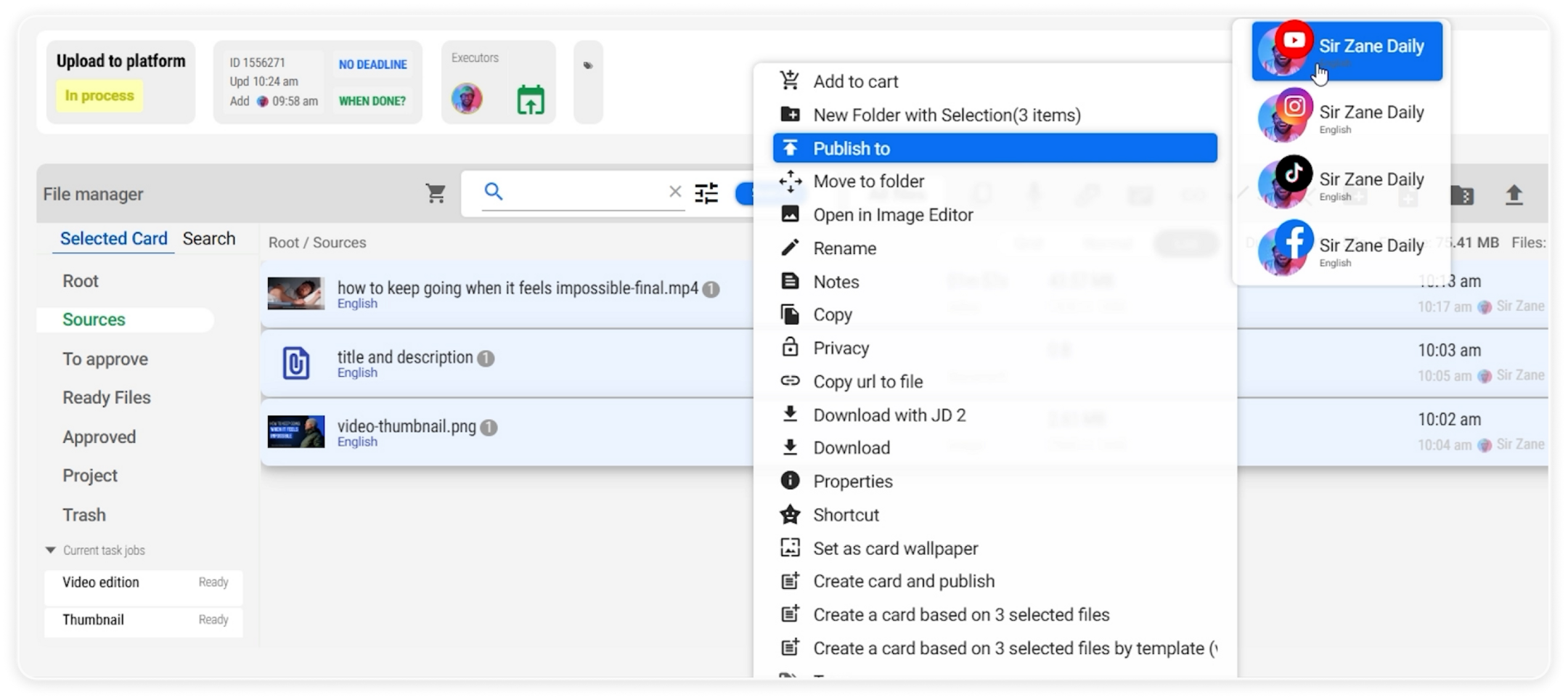 Video resources gathered for publishing.
When you choose a platform such as your YouTube channel, the system automatically detects and assigns the correct files without requiring manual input for each field.
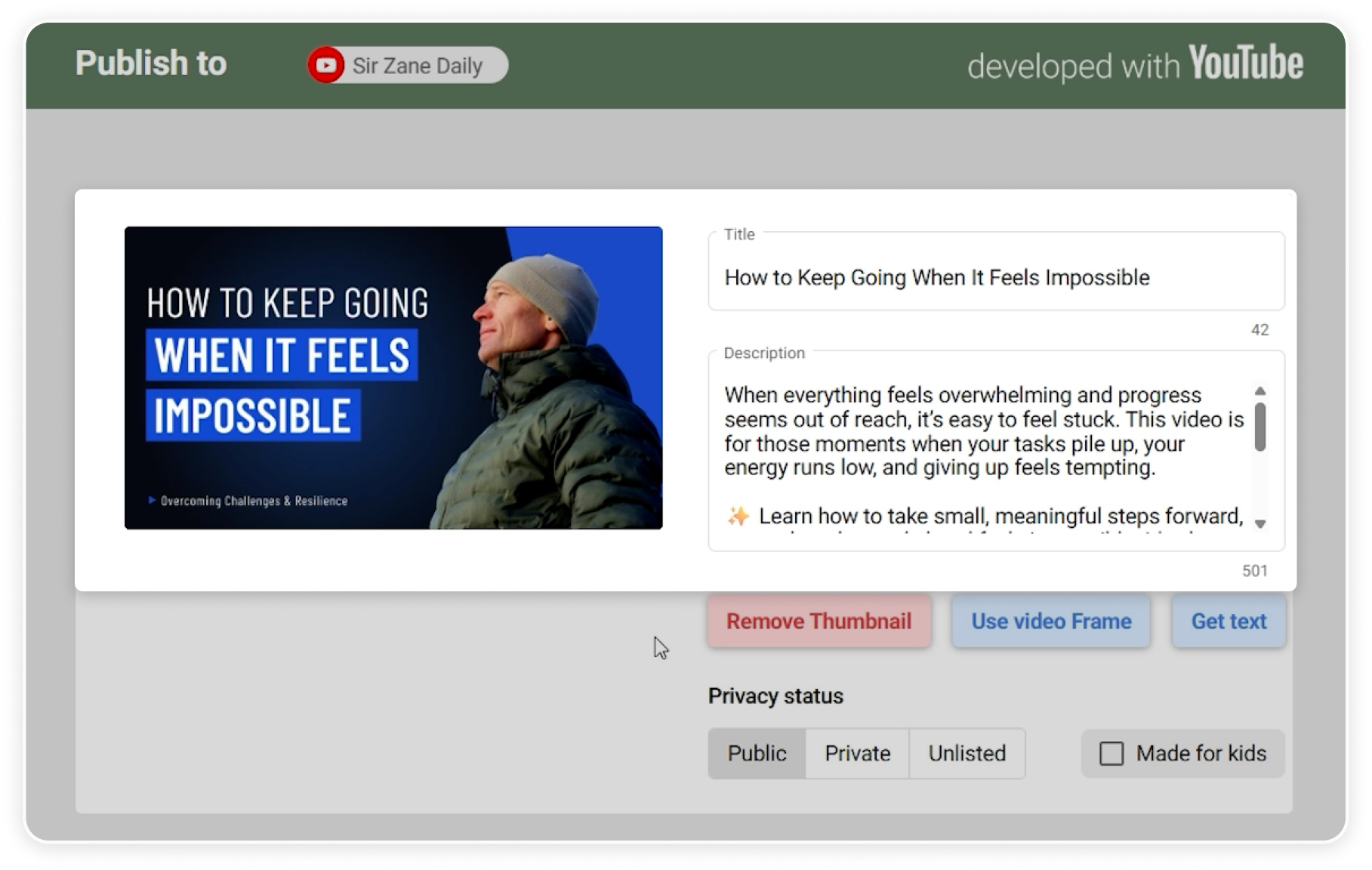 Video resources automatically detected for publishing.
Automatic Content and Platform Detection
Reports.re helps streamline the publishing process by automatically identifying important publishing details.
For example, you can configure additional platform settings such as:
- Privacy status
- Whether the video is made for kids
These options ensure that the video meets the platform requirements before publishing.
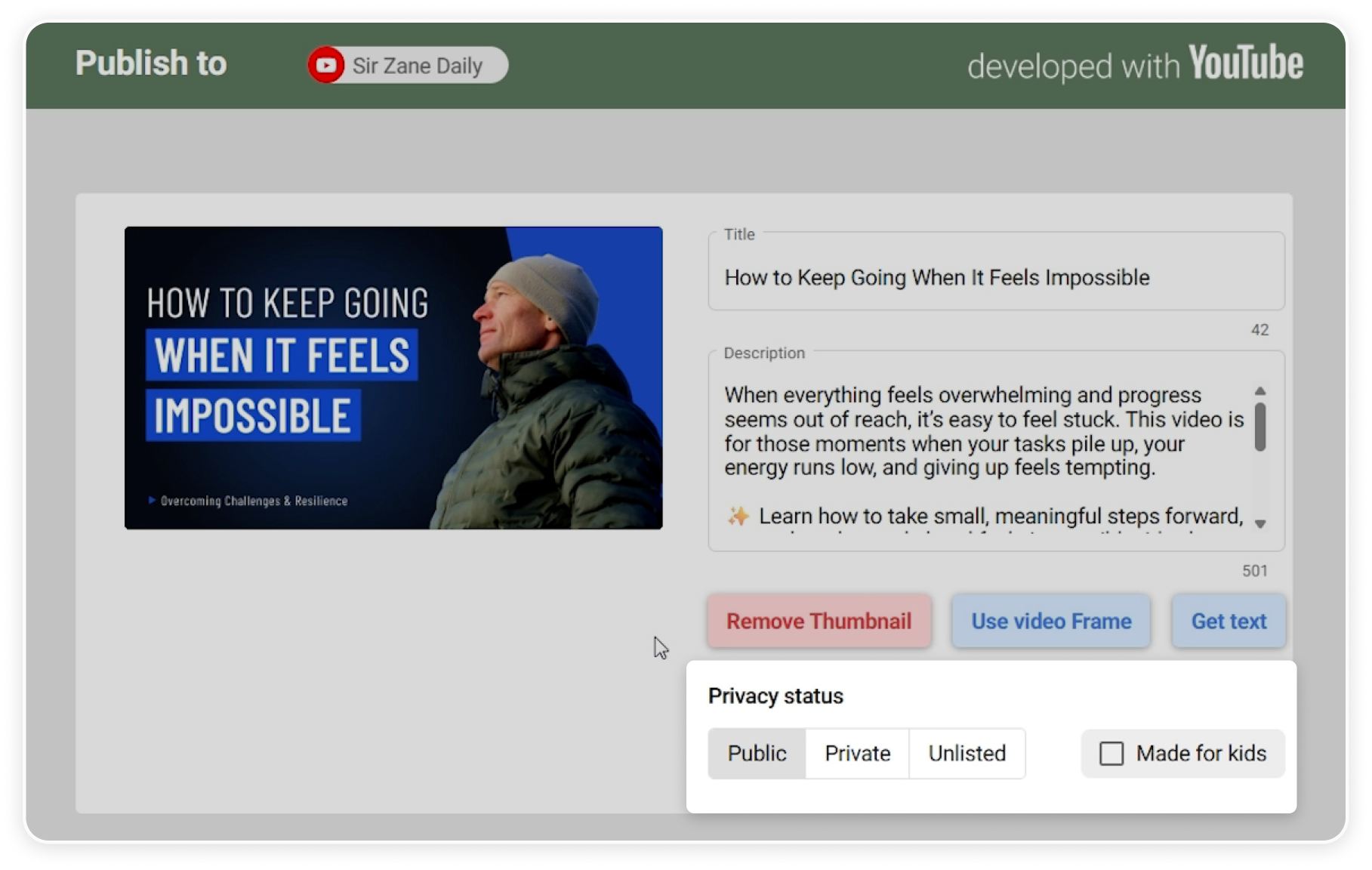 Configuring platform settings before publishing.
The system can also detect the content type based on the files you upload, helping prepare the correct publishing setup automatically.
 Automatically detected content type based on uploaded files.
Easily Add Videos to Existing Playlists
When publishing to platforms like YouTube, Reports.re can detect playlists that already exist on your channel.
This allows you to quickly select a playlist and add the video directly during the publishing process. It helps keep your channel organized without needing to manage playlists separately.
 Selecting an existing playlist during publishing.
Flexible Publishing and Scheduling Options
Reports.re allows you to control exactly when your content is published.
You can choose to:
- Publish immediately
- Schedule the post for a later time
- Save the content as a draft
When scheduling, you can set a specific date and time or select from existing time slots already defined in your schedule.
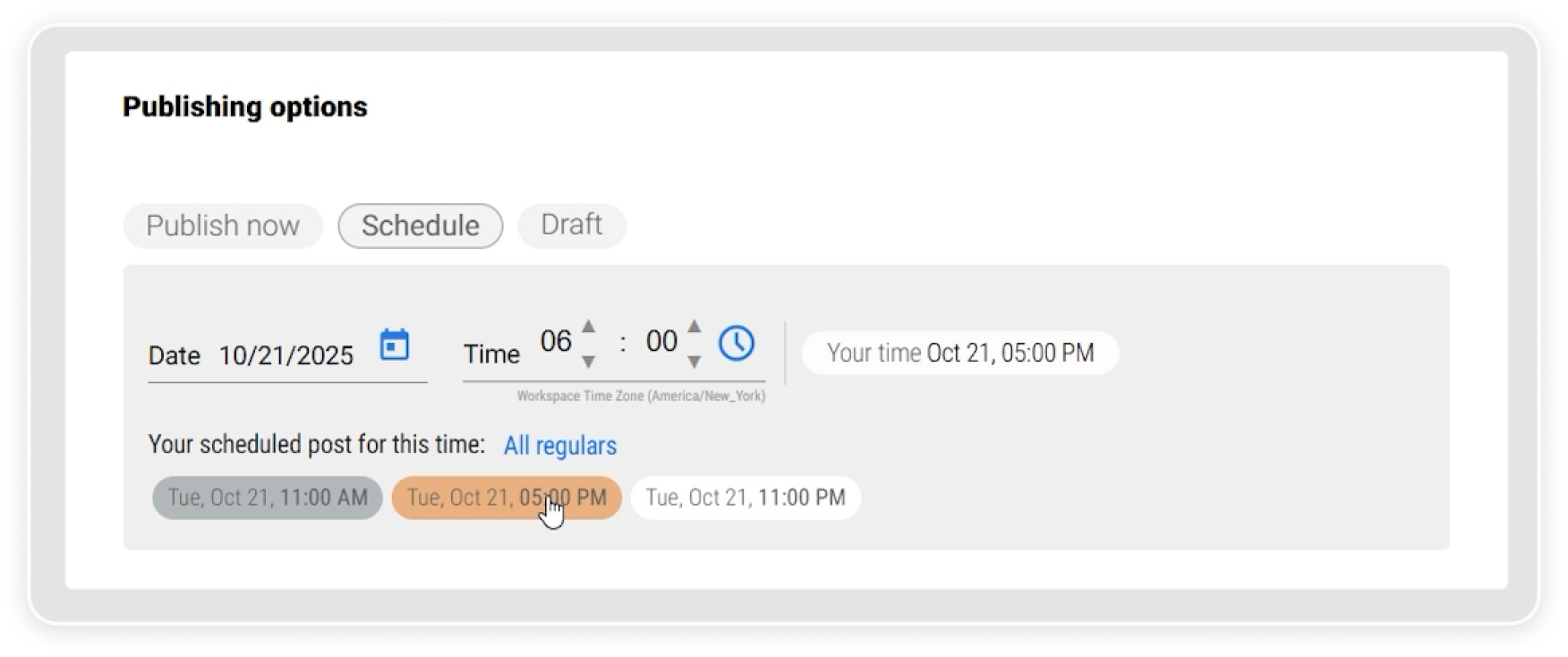 Scheduling content for a specific time slot.
Track Your Publishing Schedule
After your content is uploaded, you can view the scheduled post in the Posts section.
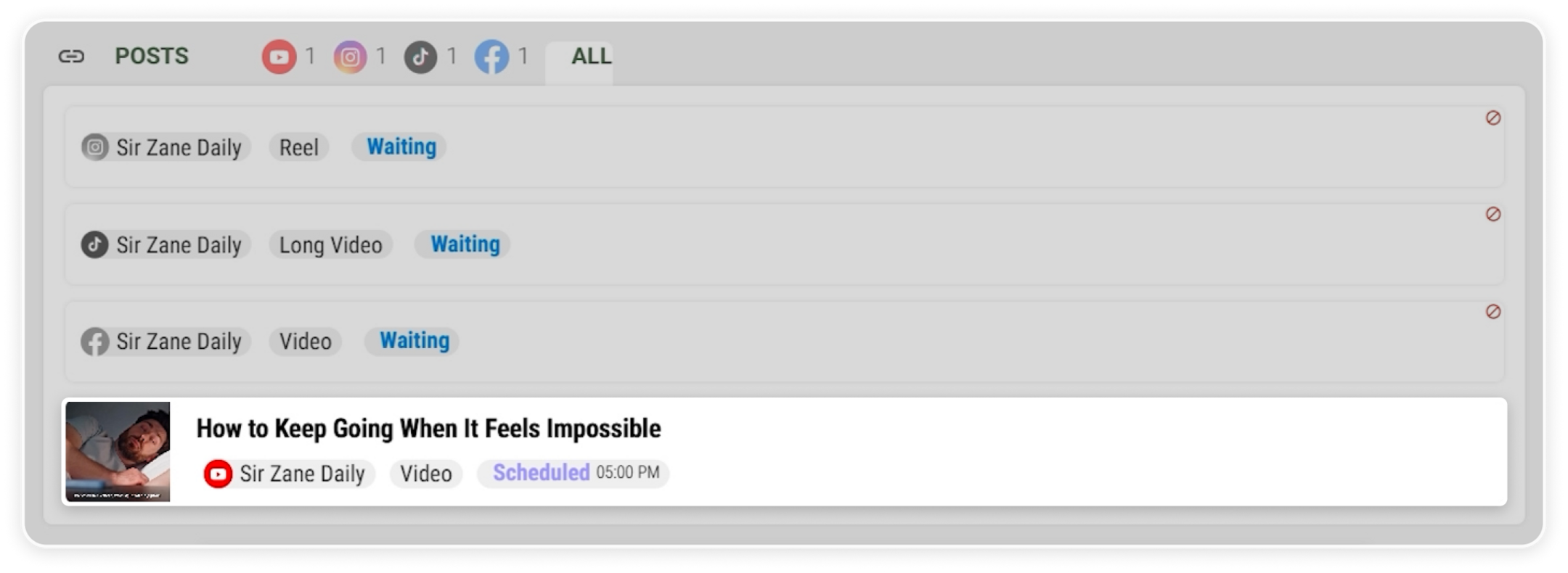 Scheduled content in Posts section.
You can also easily view all planned posts in the Calendar.
The calendar displays scheduled content alongside available time slots, giving you a clear overview of your posting timeline.
This helps you stay organized and maintain a consistent publishing schedule.
 Calendar overview of scheduled content.
Publish Content with Clarity and Control
Reports.re makes manual publishing simple and organized.
With this workflow, you can:
- Upload all publishing resources at once
- Automatically detect content and platform settings
- Add videos to existing playlists
- Schedule or publish content easily
- Monitor your publishing timeline in one place
This makes publishing content faster while keeping your workflow structured and efficient.