Managing content production across multiple platforms can quickly become overwhelming. From recording and editing to publishing and tracking performance, each step involves different people, files, and decisions.
Cards in Reports.re are designed to centralize everything into one structured and easy-to-manage workspace.
What Is a Card?
A Card represents a single project or content asset.
For example, a card can represent:
- A YouTube video you are producing
- A campaign video
- A short-form clip series
- A compilation project
Each card contains everything related to that specific content, from tasks and files to publishing details and performance metrics.
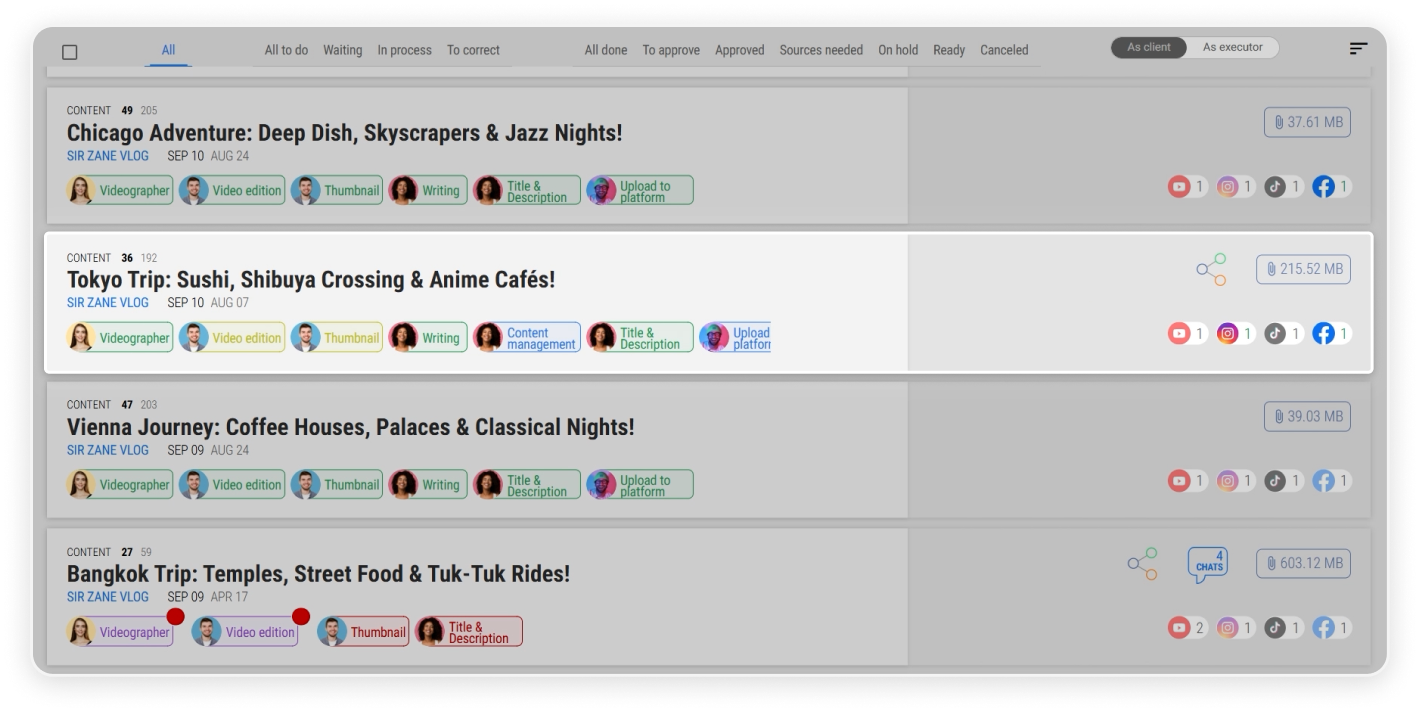 A single Card displaying related resources.
Instead of switching between tools, folders, and chat apps, everything is accessible in one place.
Complete Project Overview at a Glance
Inside a card, you can immediately see all related tasks.
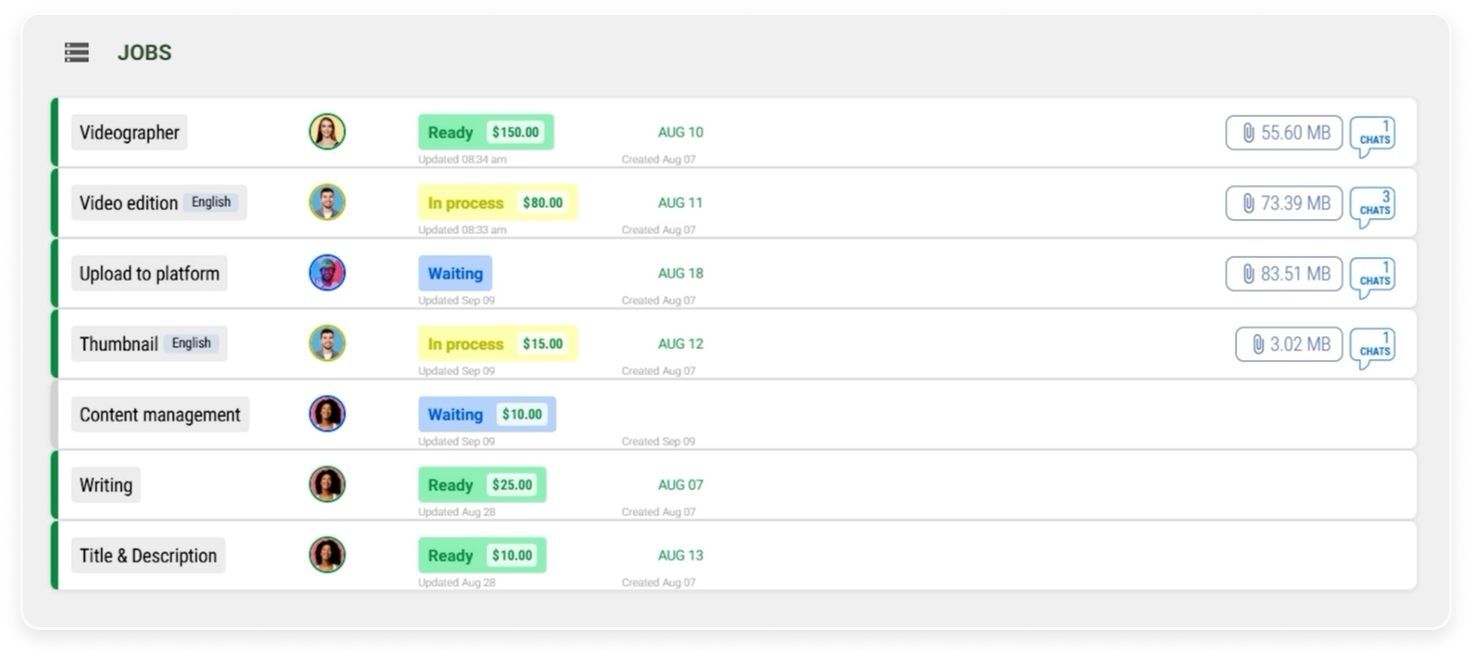 Task list within a Card showing workflow progression.
Each video production process consists of multiple tasks, such as:
- Videography
- Video Editing
- Thumbnail design
- Title & description
- Writing
- Content management
- Upload to platform
Every task is listed inside the card, along with its own type, executors, status, costs, chats, and files.
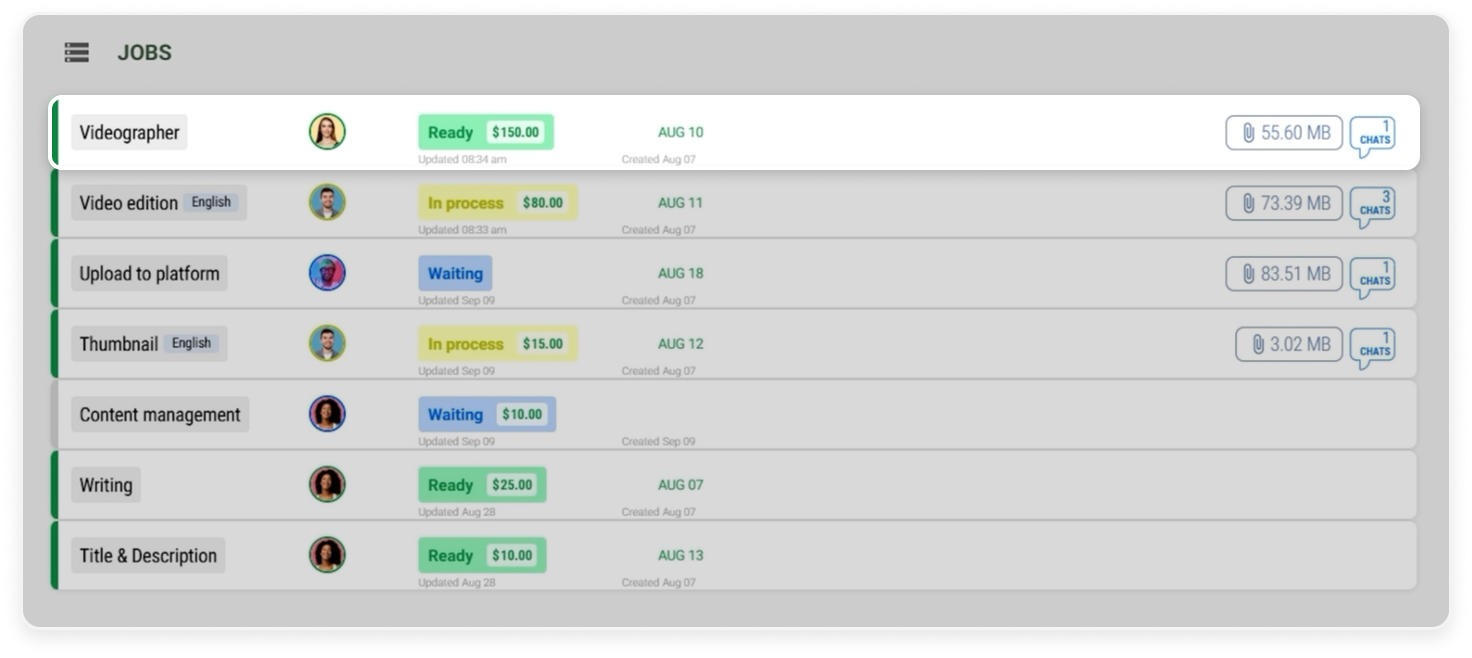 A task with its type, executor, status, cost, files, and chats information.
Because each executor has an individual status, it becomes much easier to:
- Monitor progress
- Recognize where progress is slowing
- Understand the overall workflow
You can also open any task directly from the card to view detailed information and collaborate more effectively.
Publishing and Performance Visibility
A card does not only manage production. It also tracks distribution.
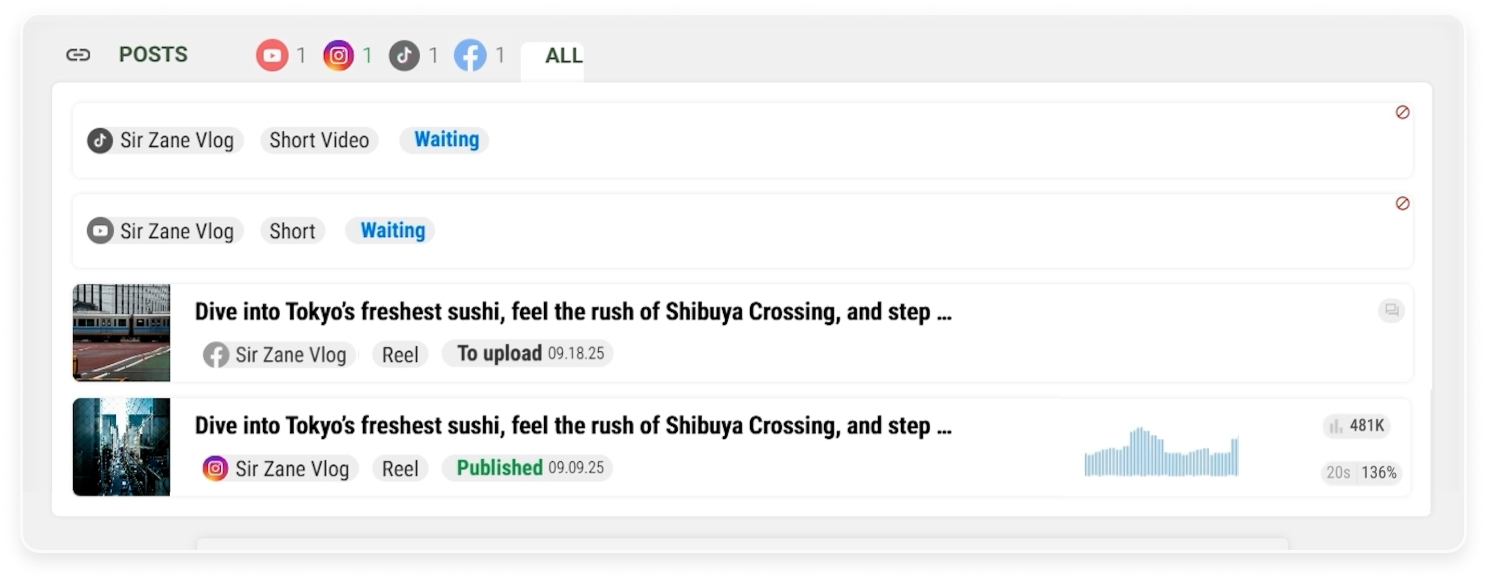
Within the post section, you can see:
- Where the video has been published
- When it was published
- Which platforms it is scheduled for
- Which platforms are not yet published
- View performance indicators
This eliminates the need to manually check multiple social platforms.
Tags and Content Relationships
Cards automatically display tags collected from the resources within them.
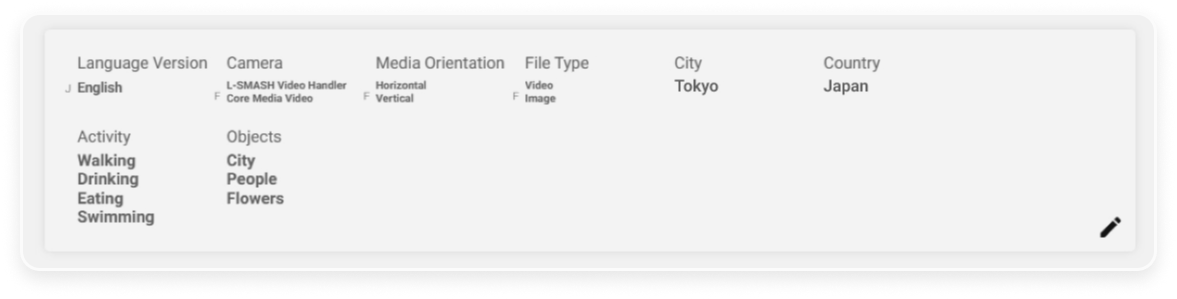 Tags aggregated from related resources within the card.
These tags help with:
- Categorization
- Filtering
- Searchability
- Organization across projects
Additionally, you can view related cards.
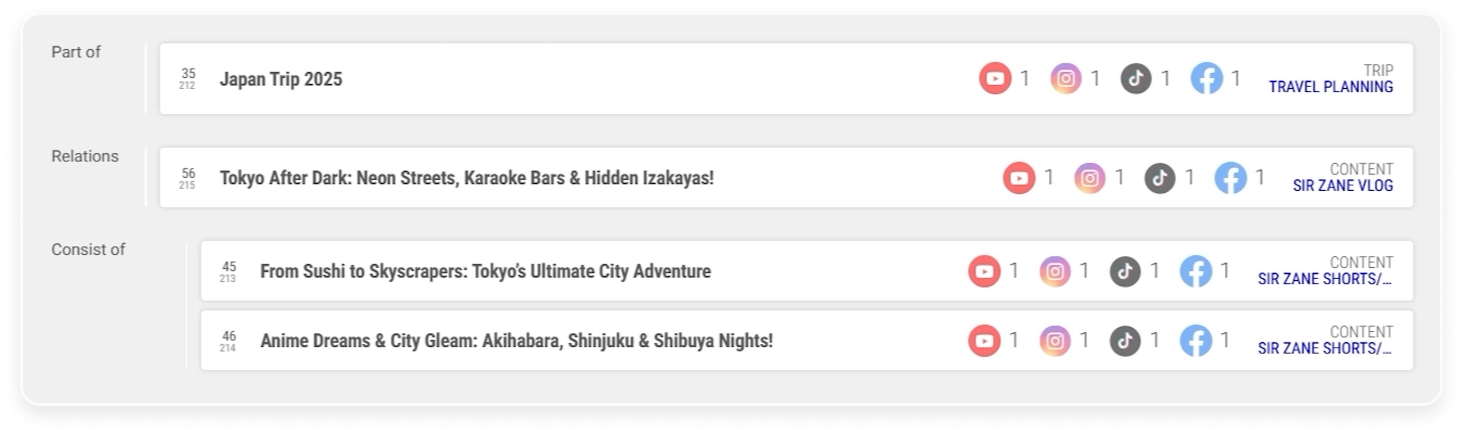 Related cards showing other connected contents.
For example:
- If the content belongs to the same campaign
- If the videos are used in another compilation
- If the current video is cut into multiple short clips
This allows you to see how content pieces connect to each other.
Roles and Permissions Control
Within each card, you can manage roles and permissions.
 Role and permission settings ensuring controlled access to resources.
This ensures:
- Stakeholders only access the resources they need
- Sensitive files remain restricted
- Teams collaborate without confusion
It provides structured collaboration without exposing unnecessary project data.
Ultra-Fast File Management with No Size Limits
Media production often involves extremely large files. Cards are built to handle this efficiently.
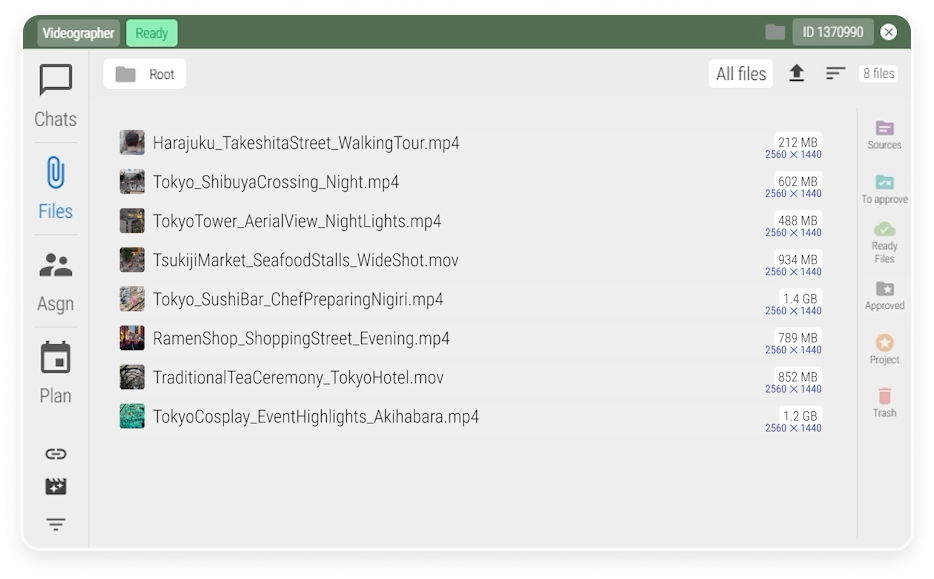 File manager that supports fast uploads and large media files.
You can:
- Upload and download files with ultra-fast speeds
- Store large media files without size limits
- Transfer files between tasks instantly
Massive file transfers are seamless, even if its 300 GB of footage or thousands of files.
Files can also be migrated between tasks regardless of quantity or volume.
Transparent Activity Logs
Each card includes logs that show:
- Who worked on the project
- What changes were made
- When the actions occurred
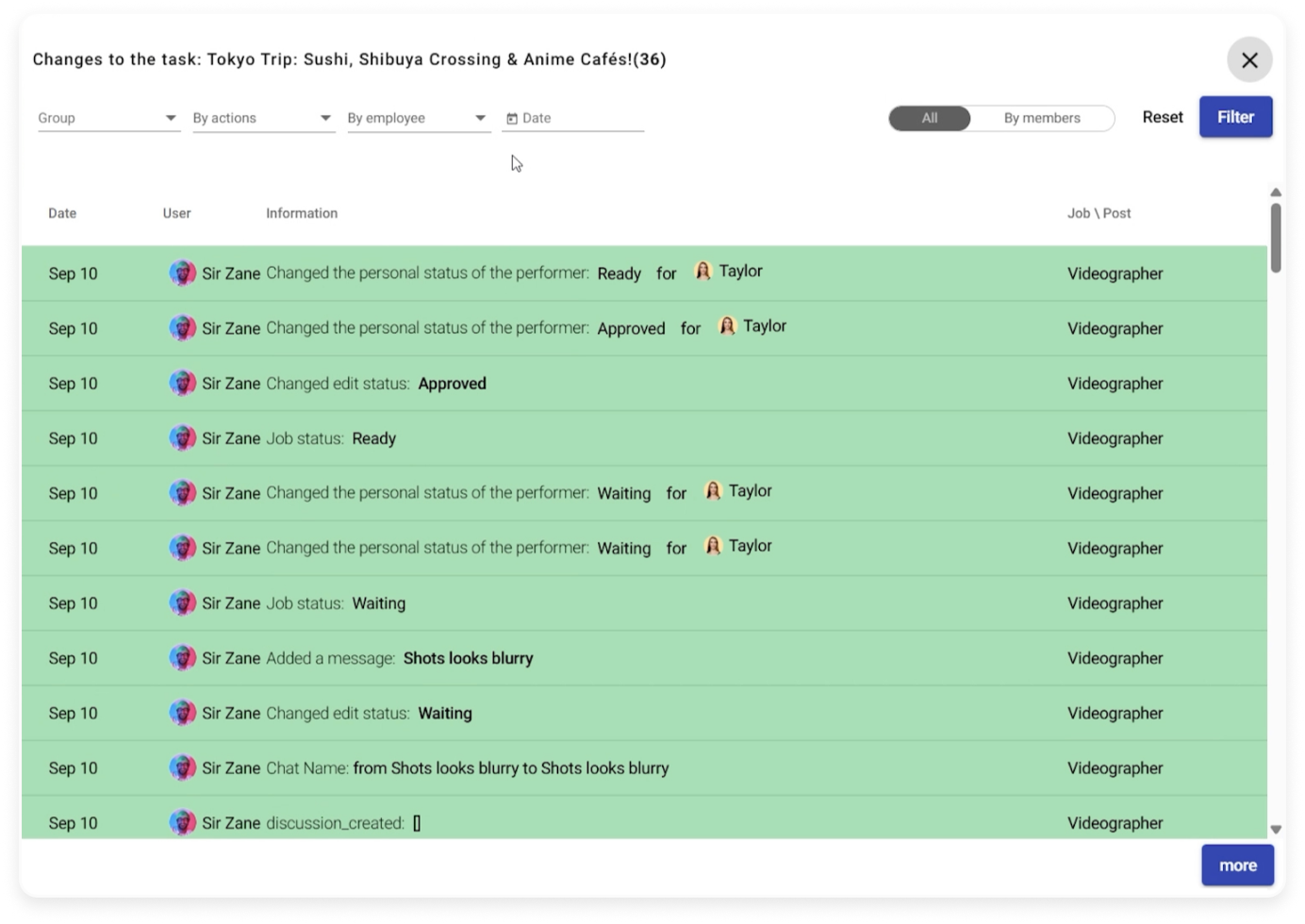 Activity logs showing project history and accountability.
Logs can be viewed for the entire card or for a specific task.
This removes the need to search across chats or ask team members for updates.
Everything in One Place
Cards in Reports.re bring together:
- Production workflow
- Publishing details
- Performance tracking
- File storage
- Collaboration
- Logs and accountability
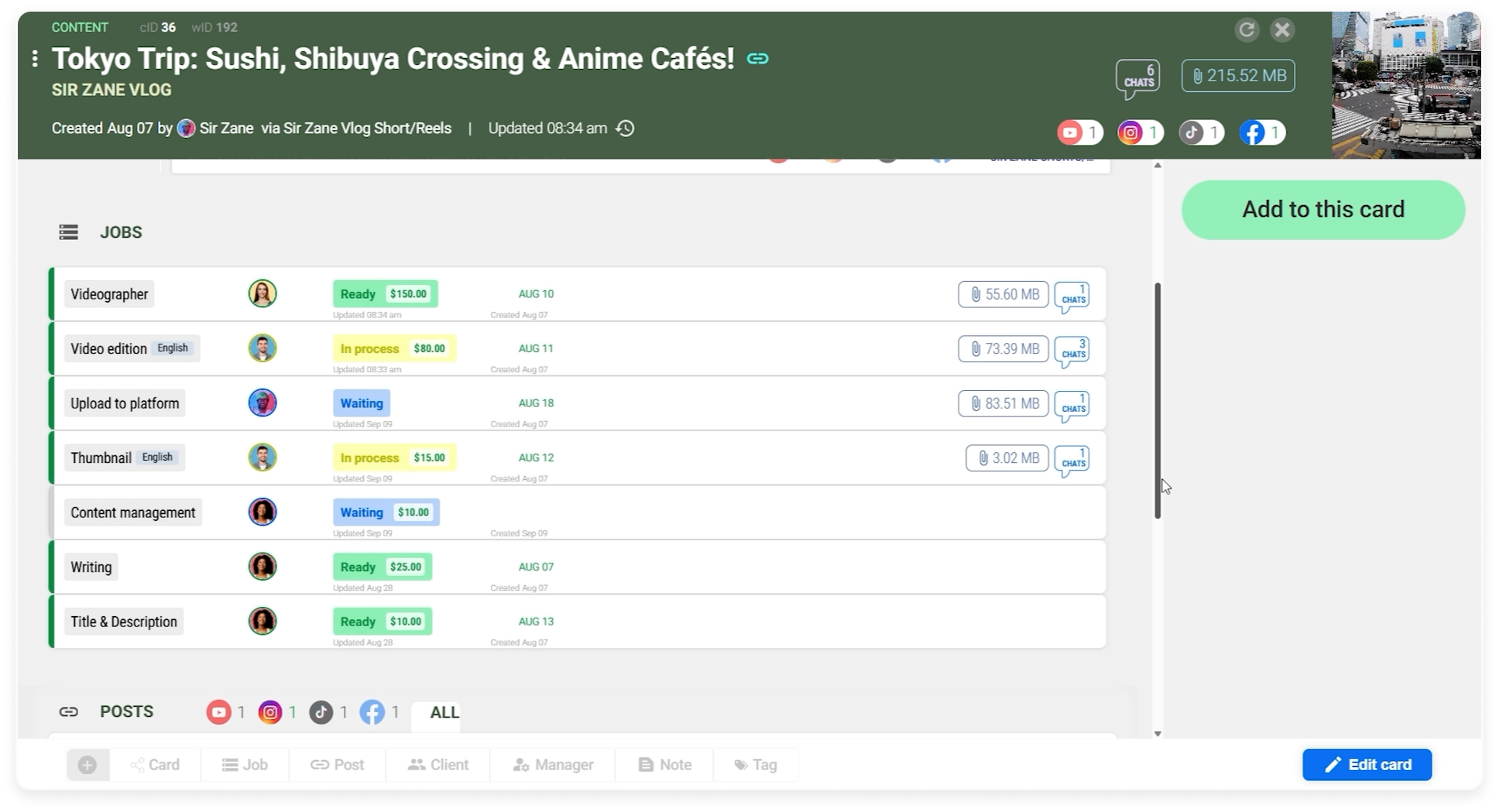 Complete Card overview.
All in a single organized view.
Instead of jumping between different apps for tasks, files, publishing tools, and analytics, you can manage everything inside one structured system.
Cards in Reports.re are built to help content creators stay organized, move faster, and maintain complete visibility over every stage of their content production process.